🎬 Watch: EVOS M7000 Analysis in Action
See automated confluence measurement and transfection efficiency analysis — 2 minutes
The Problem: Manual Cell Culture Analysis
Cell culture labs spend hours every week on repetitive manual tasks:
- Confluence estimation: Looking down the eyepiece, guessing when cells are 80% confluent for passaging
- Transfection checks: Manually counting fluorescent cells to calculate transfection efficiency
- Inconsistent results: Different researchers estimate confluence differently (±20% variation between people)
- No documentation: No images saved to prove confluence was checked before passaging
The Solution: EVOS M7000 Automated Analysis
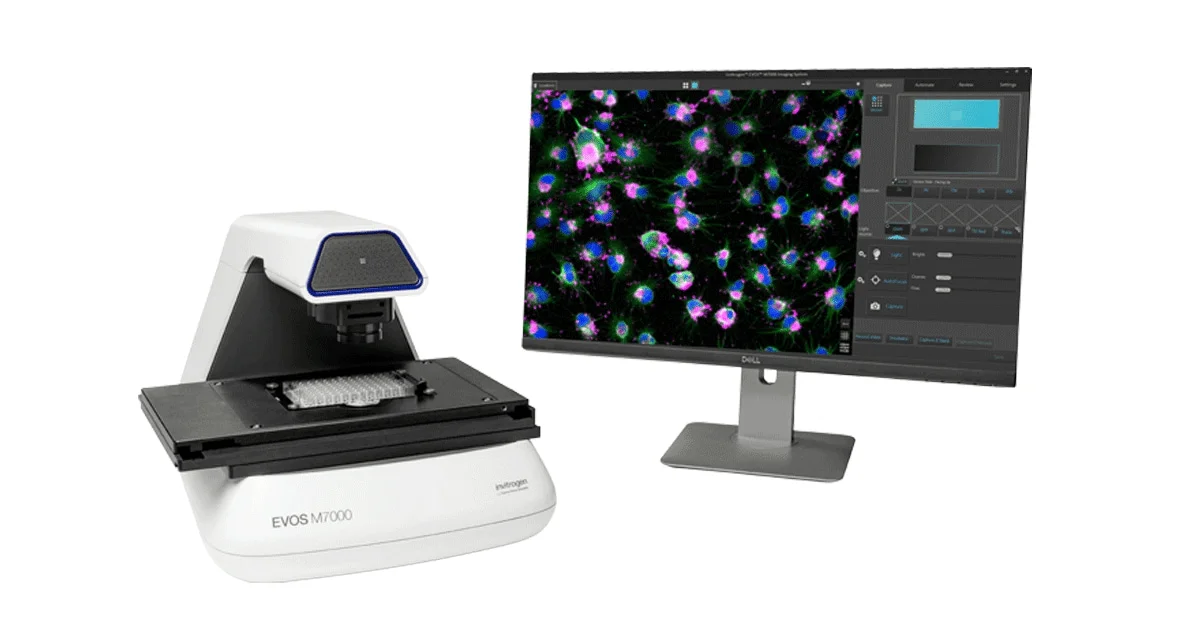
The EVOS M7000 imaging system with integrated Celleste™ software automates these tasks:
1. Automated Confluence Detection
- Scan entire multi-well plate automatically (6, 12, 24, 96 wells)
- Calculate exact confluence percentage for every well
- Export results to Excel with timestamped images
- Set alerts: notify when wells reach target confluence (e.g., 85%)
2. Transfection Efficiency Analysis
- Count total cells (DAPI/Hoechst stain)
- Count fluorescent cells (GFP/RFP expressing)
- Calculate % transfection automatically
- Compare multiple wells side-by-side
- Export statistics with images for publications
Time Savings in Real Labs
| Task | Manual Method | EVOS M7000 | Time Saved |
|---|---|---|---|
| 96-well confluence check | 45 min (eyepiece + notes) | 5 min automated scan | 40 min (89% faster) |
| Transfection efficiency | 30 min (manual count 3 fields) | 2 min automated | 28 min (93% faster) |
| Weekly reporting | 2 hours (compile images + data) | 10 min (auto-export CSV) | 1 hr 50 min (92% faster) |
Key Specifications
- Imaging: 4 fluorescence channels + brightfield + phase contrast
- Objectives: 4x, 10x, 20x, 40x long working distance
- Plate formats: 6, 12, 24, 48, 96, 384-well plates + slides + dishes
- Software: Celleste™ analysis with confluence, counting, transfection modules
- Output: JPEG, TIFF, PNG, CSV, Excel reports
💡 Pro Tip: Best Settings for Confluence Analysis
For most accurate confluence measurements on the EVOS M7000:
- Use 10x objective for 96-well plates (covers ~80% of well area)
- Use phase contrast instead of brightfield for better cell boundary detection
- Set "Flat Field Correction" ON to eliminate well edge artifacts
- Run background subtraction if medium has debris or precipitate
Applications in Cell Culture Labs
- Routine passage timing: Set 80% confluence alerts, never miss optimal split timing
- Drug screening: Compare confluence across dose-response plates automatically
- Viral production: Monitor HEK293T confluence before transfection for max yield
- CRISPR editing: Verify transfection efficiency before antibiotic selection
- Stem cell culture: Document colony growth rates for protocol optimization
🎬 Watch the Full Video
See the EVOS M7000 analyze confluence and transfection in real time:
▶ Watch on YouTubeRead EVOS M5000 Review →
Recent Publications
Zbinden et al. (2020)
A confluence-based automated image analysis pipeline for high-throughput screening. PLoS ONE 15:e0229298. doi:10.1371/journal.pone.0229298
View on DOIBoutros et al. (2015)
Microscopy-based high-content screening. Cell 163:1312–1314. doi:10.1016/j.cell.2015.11.025
View on DOISchneider et al. (2012)
NIH Image to ImageJ: 25 years of image analysis. Nature Methods 9:671–675. doi:10.1038/nmeth.2089
View on DOIFrequently Asked Questions
What is automated confluence analysis?
Automated confluence analysis uses image processing to measure the percentage of a culture surface covered by cells.
Can EVOS M7000 measure transfection efficiency?
Yes, by counting fluorescent cells versus total cells across multiple fields.
What markers are used for transfection imaging?
GFP and RFP reporters are common; nuclear dyes like DAPI or NucBlue help count total cells.
How accurate is EVOS confluence compared to manual?
Automated confluence is generally more reproducible than manual estimation and removes observer bias.
Can confluence and transfection be tracked over time?
Yes, EVOS M7000 time-lapse workflows capture both metrics across multiple time points.